


Music Choice
3.43.39K Reviews
App Specs
- Version
- 10.0.6875
- Updated On
- License
- Free
- Downloads
- 1,000,000+
- Developer
- Music Choice
- Categories
- Music & Audio
- Platform
- Android
Screenshots



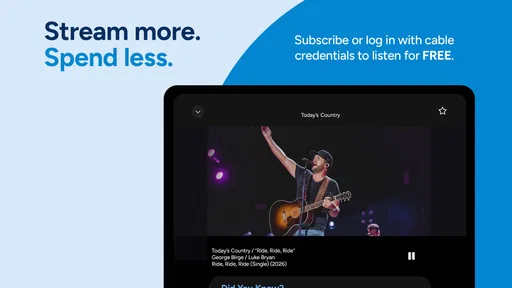
 Analysis by AppCompare
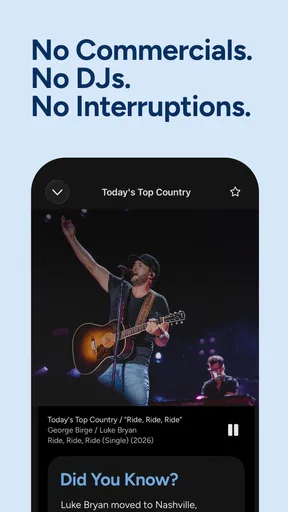
I approach music apps with one basic question: can I open one when I have a few spare minutes and quickly find something that fits my mood? Music Choice is built around that simple idea. It is a free Music & Audio app from Music Choice that presents curated listening rather than asking me to manage a huge personal library. Its store summary says the selections are curated by real people, not AI, and that distinction is central to the experience.
My first impression is that this is less about becoming a music archivist and more about making a listening decision easier. I do not have to begin with a carefully prepared playlist or spend time teaching an algorithm what I like. Instead, the appeal is the human-guided feel: I can browse, choose a direction, and let the app handle more of the programming. That makes it especially approachable for someone who wants background music without turning the process into a project.
What Music Choice feels like in everyday use
The app belongs to a familiar part of the music world, but it takes a different route from services centered on individual tracks, albums, or user-built playlists. When I use a conventional streaming service, I often arrive with a specific artist in mind. With Music Choice, the more natural starting point is a general listening need: something for the morning, a relaxed room, or a stretch of work where I do not want to keep choosing songs.
That difference matters. A curated service can be useful when I am tired of hearing the same recommendations or when I want a program that feels deliberately assembled. The human-curated positioning also gives the app a more editorial character than a purely automated feed. I would not treat that as a guarantee that every selection will match my taste, but it does make the service interesting for listeners who prefer a sense of direction over endless personalization.
The app is free to install, although in-app purchases range from $3.99 to $29.99 per item. That means I can explore the basic experience before deciding whether any optional purchase is worthwhile. I would recommend taking that slowly rather than assuming that every useful part requires payment. Start with the free path, learn how the app organizes listening, and only then decide whether an upgrade or extra option fits your habits.
Music Choice carries a Teen content rating, so it is not presented as a children’s listening product. I would keep that in mind when choosing it for a shared family device. For adults and older teenagers, the rating is unlikely to be a concern, but parents looking for a tightly controlled children’s audio environment should consider a more specialized service.
The app has been available since July 15, 2013, and its current Android version is 10.0.6875. It requires Android 11 or later. That requirement is important before installation: if an older phone cannot run Android 11, the problem is compatibility rather than a setting I can fix inside the app. Music Choice has passed the scale test in the store, with over a million installs, while its average rating sits at 3.4 from around eleven thousand ratings. I read that as a sign of a useful but not universally smooth experience.
Worth Reading Before You Choose

EA SPORTS FC Mobile 26 Is a Bigger Football Game, but It Takes Time

Flipboard Shows What News Apps Must Do Beyond the Feed

Switching to Android Auto Means Rethinking Your Driving Routine

Google Calendar Makes a Crowded Week Easier to Manage

Ludo King Makes the Most of the Minutes Between Plans

Baby Panda World Brings Quick Play to Modern Phones, but Its Game Library Feels Busy
Getting through the first setup without overthinking it
For a first-time user, I would begin by treating installation as an audition rather than a commitment. Install the app on a compatible Android device, open it, and give the opening screens time to show how listening is organized. The most important early task is not creating a perfect profile. It is understanding whether the available curation matches the kind of music I actually want during an ordinary day.
I would also avoid judging the service after only a few seconds. Curated listening works best when I let a selection run long enough to establish its mood. If I immediately skip everything because the first item is not ideal, I may mistake one imperfect match for a problem with the whole concept. At the same time, I would not force myself to stay with a channel or selection that clearly feels wrong. The point of curation is to reduce effort, not remove my ability to make choices.
A useful setup habit is to decide what job the app needs to perform. If I want music while cooking, I care about quick access and minimal interruptions to my attention. If I want to discover new sounds, I care more about variety and the quality of the editorial direction. If I want a precise song on demand, I may be better served by a traditional on-demand streaming platform. Defining that use case early helps me evaluate Music Choice fairly instead of comparing it with an entirely different type of service.
I would keep the first session deliberately simple. Explore the main listening areas, start one option, and notice how easily I can return to it later. I would not spend the first visit trying to inspect every setting or deciding whether to pay for anything. The fastest route to a meaningful opinion is hearing how the app behaves during a real activity, not studying its menus.
The first successful action: start listening and leave it alone
My recommended first success is uncomplicated: choose a curated listening option that seems close to your mood, start it, and use it during a short everyday task. Put it on while making breakfast, tidying a room, or answering routine messages. This tests the app’s main promise more honestly than a quick browse does. Can it provide a pleasant musical flow while I concentrate on something else?
That workflow is where Music Choice makes the most sense to me. I can imagine opening it before a commute, selecting a suitable direction, and avoiding the familiar trap of spending the entire journey searching instead of listening. The same applies to a small gathering where I want music in the background but do not want to become the evening’s disc jockey. Human curation is valuable here because it gives the session a starting point without requiring me to construct a playlist from scratch.
Another practical use is breaking a listening rut. When I repeatedly play the same saved albums, a curated service can act as a low-effort reset. I would use it when I want something adjacent to my normal taste but do not know which artist to search for. That is a more realistic discovery workflow than expecting an app to transform my taste instantly. The benefit is not that every choice will be perfect; it is that the app can make unfamiliar listening feel less demanding.
There is also a useful attention trade-off. Because the experience is designed around curated programming, I may have less control than I would with a service built around a personal queue. That is not automatically a weakness. When I am working, driving as a passenger, or doing chores, fewer decisions can be a relief. When I am in the mood for one particular track, though, the same structure may feel restrictive. I would choose Music Choice for guided listening, not as my only tool for precise music control.
Where new users may become confused
The biggest possible misunderstanding is expecting Music Choice to behave exactly like a conventional on-demand catalog. The app’s identity is its curation, so I would not begin with the assumption that every listening session should revolve around manually selecting a particular song. If my priority is exact track selection, album management, or building a detailed queue, another music service may fit better.
A second point of confusion is the phrase “curated by real people.” I interpret that as an editorial approach, not a promise that every recommendation will suit me personally. Human judgment can provide context and variety, but it is still judgment. I may encounter choices I would not have made, and that is part of the trade-off. The right response is to use those moments to decide whether the broader programming is appealing, rather than expecting a flawless personal match.
The rating is another useful signal. An average of 3.4 suggests that people’s experiences are mixed. I would not dismiss the app because of that number, but I would install it with realistic expectations. A service can be genuinely convenient for one listening habit and disappointing for another. In particular, anyone who dislikes curated formats, wants complete control, or expects every feature to feel as polished as a major all-purpose streaming platform should test it before spending money.
Optional purchases can also create uncertainty. Since individual in-app items range from $3.99 to $29.99, I would read each purchase screen carefully and avoid tapping through automatically. The sensible approach is to identify what the paid option changes for my own routine, then decide whether that change is meaningful. If I only need occasional background music, the free experience may be enough. If I use the app frequently, a paid choice could be easier to justify, but only after I understand its value.
Compatibility deserves attention too. The Android requirement is version 11 or newer, so I would check the phone’s operating system before planning around the app. This is especially relevant for older backup phones, inexpensive devices, or family tablets that have not received recent system updates. A smooth listening plan starts with confirming that the device can install and run the current version.
How it compares with the usual music alternatives
Compared with a large on-demand streaming app, Music Choice feels more like a guided radio-style experience than a personal music warehouse. The usual alternative wins when I know exactly what I want, need to organize albums, or enjoy building playlists track by track. Music Choice has the stronger case when I want to press play and let an editorial hand shape the session.
Compared with ordinary broadcast radio, the app offers a more convenient digital route for someone who wants curated listening on a phone. Still, I would not assume it replaces every radio habit. Some listeners value local programming, live personalities, or the unpredictability of a traditional station. Music Choice is more appealing to me when I want music-first listening and a clear sense of selection rather than a broad broadcast format.
Compared with algorithmic recommendation feeds, the app’s human-curated identity is its clearest point of difference. Algorithms can be excellent at repeating patterns from my listening history, while human programming may introduce a more intentional sequence or a less obvious choice. The trade-off is that automated services often become more individually tailored over time. If I want recommendations built tightly around my personal behavior, an algorithm-led platform may be more satisfying.
I would also compare it with free video-based music services. Those can offer enormous variety, but they may encourage more screen time and searching. Music Choice is more suitable when I want the phone to fade into the background. That said, listeners who rely on music videos, live performances, or a very broad visual catalog will probably find a video platform more flexible.
Three ways to get more from the app
First, use it as a decision-reduction tool rather than a replacement for your entire music collection. Keep your precise, must-hear albums in the service you already use, and open Music Choice when you want someone else’s programming to carry the session. This two-service approach avoids forcing one app to satisfy incompatible needs.
Second, test the app in different attention settings. A selection that works while cleaning may feel too distracting during focused work, while something that seems quiet in the afternoon may be ideal for reading. I would judge the service by whether it supports the activity, not only by whether I enjoy every individual song. That change in perspective is especially helpful with curated listening.
Third, use the first week as a comparison exercise without turning it into a statistics project. Notice how often I reach for Music Choice voluntarily, how much time I spend choosing, and whether the human-guided selections help me discover something I would have missed. Those observations answer the practical question—does this app improve my listening routine?—better than a single impressive session.
A fourth tip is to delay any paid decision until the free experience has become familiar. I would make a note of the moments when I feel limited, then check whether a purchase directly addresses that limitation. If the inconvenience is actually that I prefer exact song control, paying may not solve the underlying mismatch. If the problem is access to a particular part of the service, the purchase may be more relevant. The distinction prevents spending money to fix the wrong problem.
Who should try it, and who should skip it
I would recommend Music Choice to someone who wants curated music with a low-effort starting point. It is a good candidate for background listening, casual discovery, shared spaces, and moments when I want to stop scrolling through endless options. It may also suit people who like the idea of human selection and do not want every listening decision driven entirely by an automated recommendation engine.
I would be more cautious about recommending it to a listener who treats music as a collection to organize precisely. If I need a specific song immediately, maintain elaborate playlists, or expect complete control over sequence and catalog behavior, a traditional on-demand service is probably the better primary choice. I would also steer younger children toward an app designed specifically for their age group, since Music Choice is rated for Teen audiences.
The mixed store reception reinforces that middle-ground verdict. With around three thousand four hundred written reviews and an average rating of 3.4, the app clearly works well enough for a substantial audience while leaving room for frustration. I see it as a focused tool, not a universal winner. Its success depends on whether I value editorial guidance more than total control.
My final recommendation for a first-time listener
I would start with the free version, confirm that the Android device meets the requirement, and use the app during a real routine rather than judging it from the opening screen. Give one curated selection enough time to establish its mood, then ask whether it made listening easier than my usual method. That is the clearest test of its value.
My honest takeaway is that Music Choice is best when I want music to be ready for me, not when I want to manage every detail. The human-curated angle gives it a distinct personality, and the free entry point makes experimentation straightforward. The limitations are just as clear: it may not satisfy listeners who demand exact control, and the mixed rating suggests that the experience will not feel equally polished for everyone.
For a first-time user, I would consider it a worthwhile companion rather than an automatic replacement for every other music app. If your ideal session begins with “play something well chosen,” Music Choice deserves a trial. If it begins with “play this exact track, then these seven songs,” choose an on-demand alternative first and return to this app only when you want a more guided change of pace.
Pros
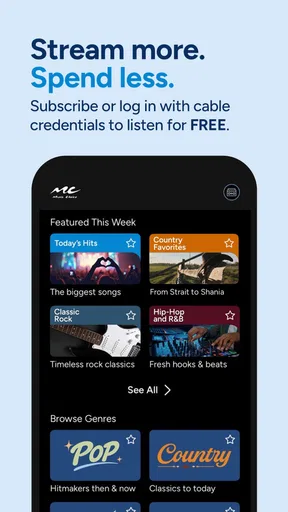
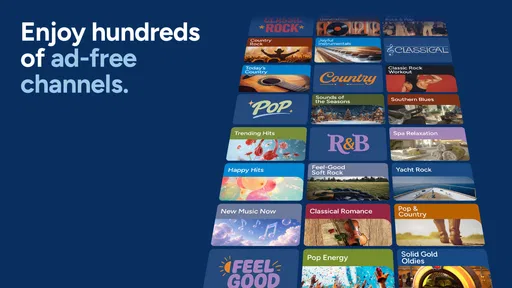
- Offers a wide selection of curated music channels and genre-based stations.
- Music videos and live performances add variety beyond standard audio streaming.
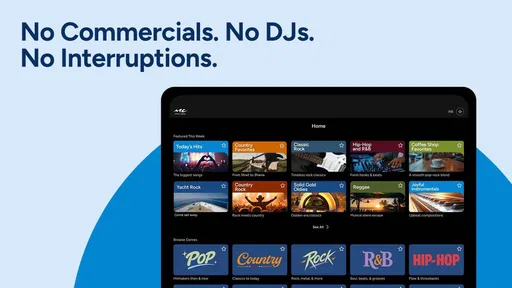
- Simple interface makes it easy to browse channels and start listening quickly.
- Useful for discovering themed playlists without creating your own.
- Available on multiple devices
- including compatible TVs and mobile platforms.
Cons
- Availability and channel selection may vary depending on your location.
- A participating TV or internet provider may be required for full access.
- Some features can be restricted to eligible subscription packages.
- The app may use significant mobile data when streaming video content.
- Limited on-demand control compared with dedicated music streaming services.
FAQs for Music Choice
What is Music Choice, and what can I use it for?
Music Choice is a music and entertainment service that provides access to curated music channels, video content, playlists, and related programming. Depending on your location and subscription or television provider, you may be able to listen through a mobile app, watch music channels, or explore themed content. The exact catalog and available features can vary by region and account type.
Is Music Choice free to download and use?
The Music Choice app may be free to download, but access to all of its content is not necessarily free. Some features can require an eligible cable, satellite, streaming, or other participating provider account. Availability may also depend on your subscription package and country. Before downloading, check the app’s current store listing and sign-in requirements to understand whether additional payment or provider authentication is needed.
Does Music Choice work on both Android and iPhone?
Music Choice availability depends on the operating system, country, and the specific service version offered in your region. If an official Android or iOS app is available, users should download it only from Google Play or the Apple App Store. Check the listed compatibility requirements, supported operating-system versions, and device permissions before installing, since older phones or tablets may not support every feature.
Do I need an internet connection to listen to Music Choice?
Yes, most Music Choice mobile features require an active internet connection, such as Wi-Fi or mobile data, to stream music, videos, channel information, and other content. Streaming over cellular data can use a significant amount of your monthly allowance, especially when video is enabled. Offline listening may not be available, so users should verify this before relying on the app while traveling.
What should I know about privacy, advertising, and account access?
Before using Music Choice, review its privacy policy and the permissions requested by the app. Depending on the service and your region, the app may collect account, device, usage, and diagnostic information to operate or improve its features. You may also encounter advertising, promotional content, or provider-based authentication. Keep your login details secure and use the official support channels for account or subscription issues.


